
How to send your logo for bag printing, without the back-and-forth
The right file saves you days. Here's what a printer actually needs from you, in plain words, including the one file type that causes most of the delays.
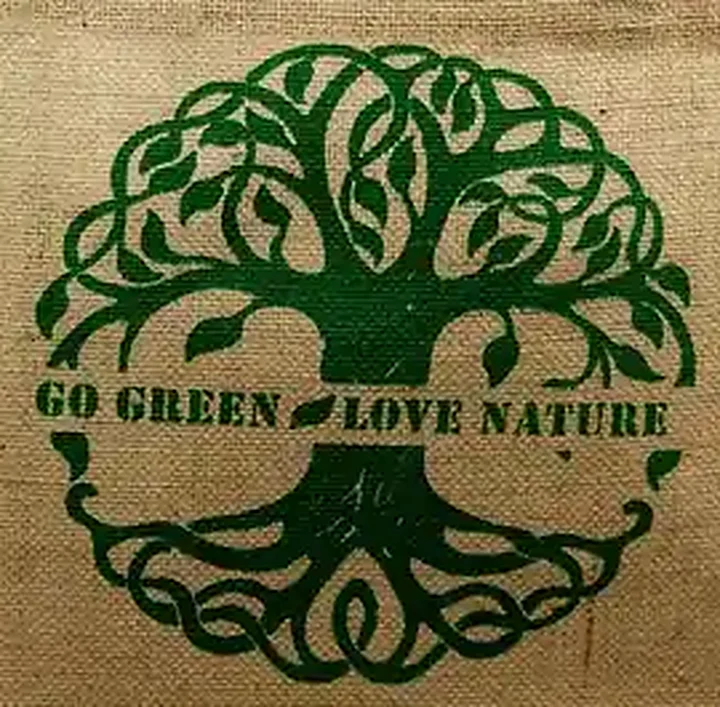
A logo looks perfect on a phone screen. Then someone sends it to a factory as a WhatsApp image, 600 pixels wide, and the trouble starts. Edges go soft, thin text fills in, the green isn't quite the brand green.
None of that is anyone's fault. It's just that print needs a different kind of file. Here's what to send.
In this guide: Best: a vector file · OK: a large PNG or JPG · Tell us the colours as numbers · Size and position · If you are printing on jute · A checklist you can copy into your email · Questions buyers ask us
Best: a vector file
A vector file is made of shapes and lines, not pixels. You can stretch it to the size of a beach bag and it stays sharp. If your logo was made by a designer, they have it. Ask them for one of these:
- AI (Adobe Illustrator)
- EPS
- PDF saved from Illustrator or a similar program (not a scanned PDF)
- SVG
For screen printing, vector is strongly preferred, because each colour becomes its own screen, and the screen is cut from the shapes in the file.
One more thing to ask the designer: convert the text to outlines (sometimes called “create outlines” or “convert to curves”). Otherwise, if we don't have the same font installed, the computer quietly swaps it for another one.
OK: a large PNG or JPG
For full-colour digital print, a high-resolution image works. Around 300 dpi at the size it will actually print is a good target. A 25 cm wide print at 300 dpi needs an image roughly 3,000 pixels wide. A screenshot or a photo from social media won't get there.
If an image is all you have, send it anyway. We'll tell you honestly if it's good enough, or if it needs redrawing.
Tell us the colours as numbers
“Dark green” means something different to everyone. Pantone numbers solve that. If your brand guide lists them, include them: for example Pantone 349 C for a logo, or a Pantone TCX code if you want the fabric itself dyed.
Colours on screen are never exactly what prints on fabric, and natural fabric changes the result again. That's why we approve colours on a sample first. More on that in our post on Pantone and lab dips.
Size and position
Two short notes are enough:
- Print size, for example 25 cm wide.
- Where it goes: centred on the front, 8 cm below the top hem. One side or both sides?
A quick sketch on top of our technical drawing is perfect. Every size page has a drawing you can download and scribble on. Or put your logo on a real bag photo in the Bag Mockup Studio and send us the picture.
If you are printing on jute
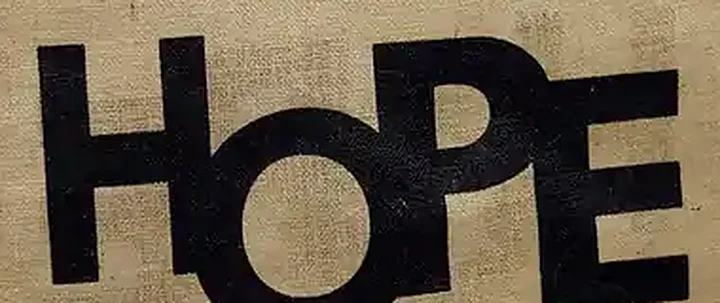
Jute has an open, rough weave. Ink sits on the raised threads and can skip the gaps. Practically this means:
- Bold logos and chunky text look great.
- Very thin lines and tiny text can break up. If your logo has a fine tagline under it, consider dropping the tagline on jute, or making it bigger.
- Photo-style artwork with soft gradients is better on cotton or juco, which have a smoother surface.
Juco (jute and cotton blend) sits in between. It keeps the natural look and holds finer print than pure jute.
A checklist you can copy into your email
Logo file: AI / EPS / PDF / SVG, text converted to outlines
Colours: Pantone numbers (or “please match the attached”)
Print size: ___ cm wide
Position: front / back / both, ___ cm below the top
Bag: style, size, fabric (or a reference code from your website)
Honestly, the single file that saves the most back-and-forth is the vector logo with outlined text. Everything else on this list we can usually work out or ask about, but a raster logo with live text is the one thing that genuinely stalls a quote while we wait for a better copy.
Before the bulk order, you'll see a digital proof and then the printed sample. Nothing goes into production until you have approved both.
Questions buyers ask us
Can I send my logo as a JPG?
Yes, but for screen printing a vector file (AI, EPS, PDF or SVG) is much better. For full-colour digital print, a large image of around 300 dpi at print size works.
What does 'convert text to outlines' mean?
It turns the letters into shapes, so the font cannot change when the file is opened on another computer. Your designer can do it in a minute.
Can you print fine detail on jute?
Bold logos and text print very well on jute. Very thin lines and tiny text can break up on the open weave. Cotton and juco hold finer detail.
Will I see the print before the bulk order?
Yes. You approve a digital proof and then the printed sample before bulk production starts.
Tell us what you need.
Product, quantity and destination is enough to start. We review your requirement and reply with a quotation.